 supernila
Find new customers.
Nila keeps your Google profile active, drafts replies to your reviews, builds a page for each town you serve (up to 25), such as “Roof replacement in Danbury”, and turns your finished roofs into seasonal posts.

Nila handles your online front office while you’re up on a roof. She helps homeowners find you, captures roof replacement and repair requests from your website, and follows up by text and email. You handle the quotes and close the work.
$199 a month. Free setup (a $599 value). No contract, cancel anytime.
It runs the online part of your business that homeowners check before they call a roofer. For a roofing company, that means keeping your Google profile active with finished roofs, answering repair and replacement requests on your website and taking down the address and what the homeowner sees, and following up by text and email so an estimate request does not go cold. You still inspect the roof, price the job and do the work.
Nila does the work. You say yes before posts and past-customer messages go out.
Nila keeps your Google profile active, drafts replies to your reviews, builds a page for each town you serve (up to 25), such as “Roof replacement in Danbury”, and turns your finished roofs into seasonal posts.
When a homeowner asks about a roof replacement or a repair after a storm on your website, Nila replies, takes down the project details, and follows up by text and email a set number of times. Then it is yours to quote and close.
Nila writes check-ins for past customers, like the homeowners you reroofed who may want gutters or a skylight. They go out once you approve them.
A new roof is not something homeowners buy often, so they ask around and then look you up. This is the path they take.
A name from a neighbor or a friend comes first. Then they type it into Google, or search “roofer near me” to see who else is close by.
Your Google profile is where they judge you: reviews about cleanup and honesty, photos of roofs like theirs, and whether you posted anything recently.
After a storm or when they spot a leak, they send requests to more than one company, often at night from your website or your Google profile.
A quick answer with a next step counts most while other roofers are still up on a roof and won’t see the message until evening.
When looking for a roofer, 79% of homeowners turn to word of mouth and 62% search the internet.
Roofing Contractor 2025 Homeowner Roofing Survey, 2025About 67% of homeowners say online reviews are very or extremely important when choosing a roofer.
Roofing Contractor 2025 Homeowner Roofing Survey, 202583% of US consumers choose the business that responds first to an inquiry.
Moneypenny survey of 2,000 consumers, reported by Contracting Business, 2026Nila texts you when something needs you: a post to approve, a new estimate request, a customer who wrote back. Reply from your phone or open it on the web. There is nothing to run and no dashboard to check.
Posts and messages to past customers wait for your OK. Follow-up with new inquiries is set up with you once, then runs on its own.
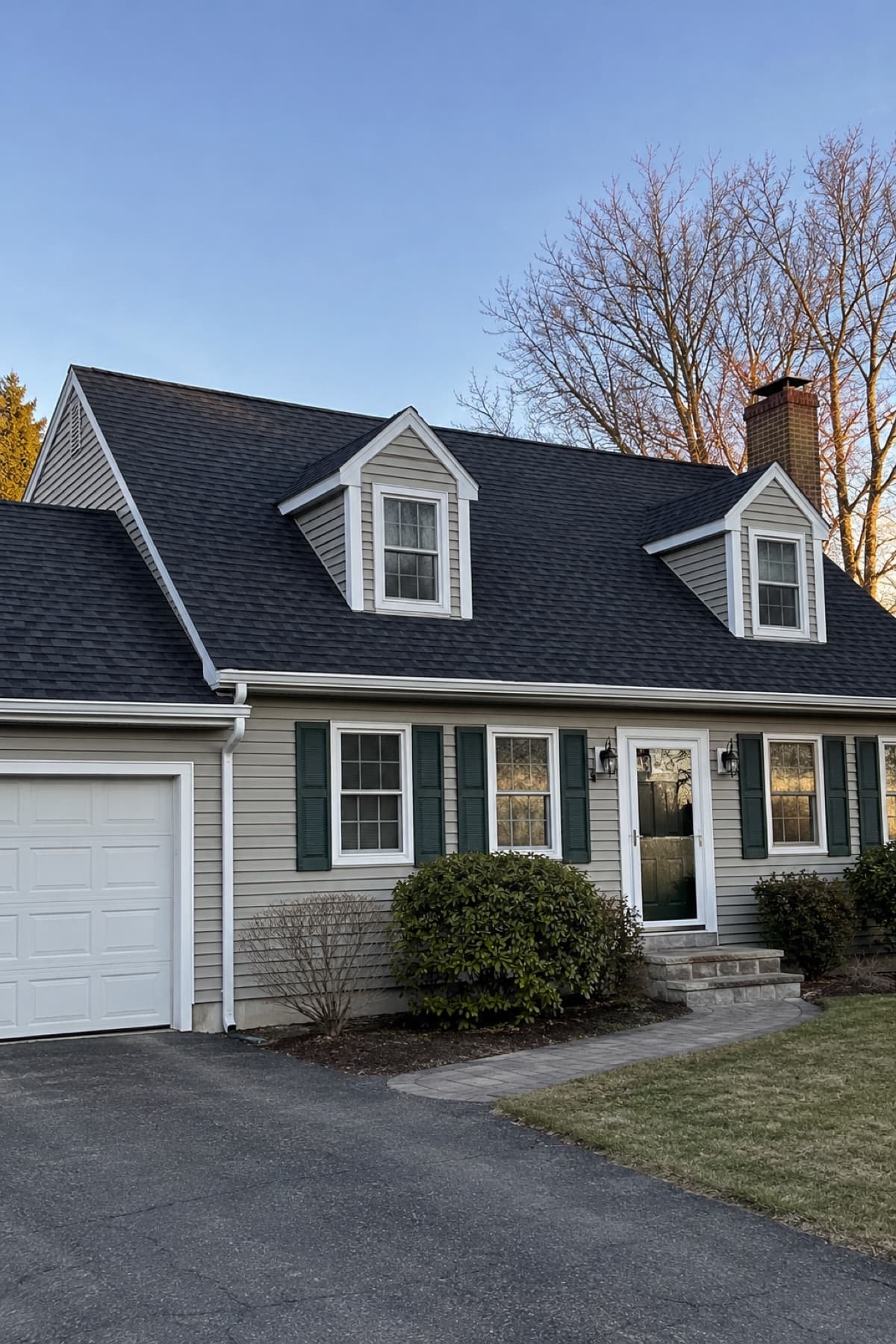
New roof finished this week in Danbury. Thanks to the homeowners for trusting our crew with it.
Public posts wait for your approval.
Illustrative approval example
Six habits that work with or without Nila. None of them involve buying names from a directory or chasing storms across state lines.
A page for “roof replacement in Bethel” that names the roof types you install, such as asphalt shingle, metal or flat rubber, matches what homeowners actually search. One page for your whole service area does not.
After hail or high wind, post on your Google profile what you’re inspecting for and how homeowners can reach you. Plain and helpful beats “Your roof may be failing!” Homeowners remember who was straight with them.
“Architectural shingle replacement in Newtown” with a clear photo does more than a stock image. Never post a house number or street name. The town is enough.
That’s when the homeowner is happiest and the yard is clean. Then reply to every review, good or bad. To a bad one, stay calm, name what you’ll do to make it right, and offer to talk by phone.
A homeowner with a leak wants to know someone is coming. Even “We’re on a roof today. Can we look at it Thursday morning?” puts you ahead of the roofer who calls back tomorrow.
A homeowner you reroofed may need gutters, a skylight or a ventilation fix a few years later, and they know neighbors who need a roof. A short, friendly check-in keeps you in mind for both.
$199 a month. No contract. Cancel anytime.
One flat price, every month.
No contract. Cancel anytime.
Your business, website, and the towns you serve. No payment yet.
We check that Nila covers what you need in your area, then send your invitation.
Your first $199 starts setup. We build your town pages, turn on your website chat and follow-up, and show you how approvals work.
You handle the quotes and close the work. Results depend on your market, and no ranking or number of inquiries is promised.
Many homeowners ask a neighbor and then look you up, so the work is in being easy to find and quick to answer. Keep your Google profile active with finished roofs, have a page for each town you serve (Nila builds up to 25), reply the same day and follow up on new requests. Nila does those for you. Checking in on an estimate you already sent stays with you. No number of jobs is promised, and nobody can honestly promise one.
Nila answers repair requests on your website and takes down the address and what the homeowner sees, such as missing shingles or a stain on the ceiling. She does not schedule inspections or crews. You decide who goes out and when.
Google looks at how close you are, how complete and active your Google Business Profile is, and your reviews. Fill in every service and town, add photos of finished roofs, post often and reply to reviews. Nila keeps the profile active and drafts review replies for you to approve. No ranking is promised.
Homeowners often go quiet while they compare quotes or wait on insurance. A friendly check-in after a few days, and one more a week or so later, gives each one another chance to reply. That check-in is yours to send. Nila follows up on new estimate requests from your website, by text and email a set number of times, then stops.
Yes, if you want to be found outside your own town. A homeowner in Redding searches for a roofer in Redding. Nila builds and updates a page for each town you serve, up to 25, naming the roofing work you do there.
You keep using them. Nila does not replace your estimating or job-management apps. We review the apps you use during setup and confirm which connections are supported.
No. They come direct to your business, never shared.
Your online front office is what a customer meets before they talk to you: your Google profile, your website, your town pages, and the replies and follow-ups after they ask for a quote. Nila runs that part. She does not answer your phone or schedule your crews.
Those sites sell the same request to several businesses and charge you for each one, so you race to call first. Nila works on your own presence: your Google profile, your website and your town pages. You pay one flat $199 a month, with no pay-per-inquiry fees.
$199 a month, month to month, with no contract. Cancel anytime. Launch setup is included with your first month.
We confirm the fit within 2 business days of your request. Setup is done within 2 business days of your first payment. In that time we build your town pages, train Nila on your business, connect Google Search Console and Google Analytics, and turn on website chat and follow-up.
No. Nila handles website inquiries and follows up by text and email. You and your team keep handling phone calls, quotes and scheduling.
Tell us about your roofing business. We’ll confirm the fit within 2 business days.
$199 a month. Free setup (a $599 value). No contract, cancel anytime.